
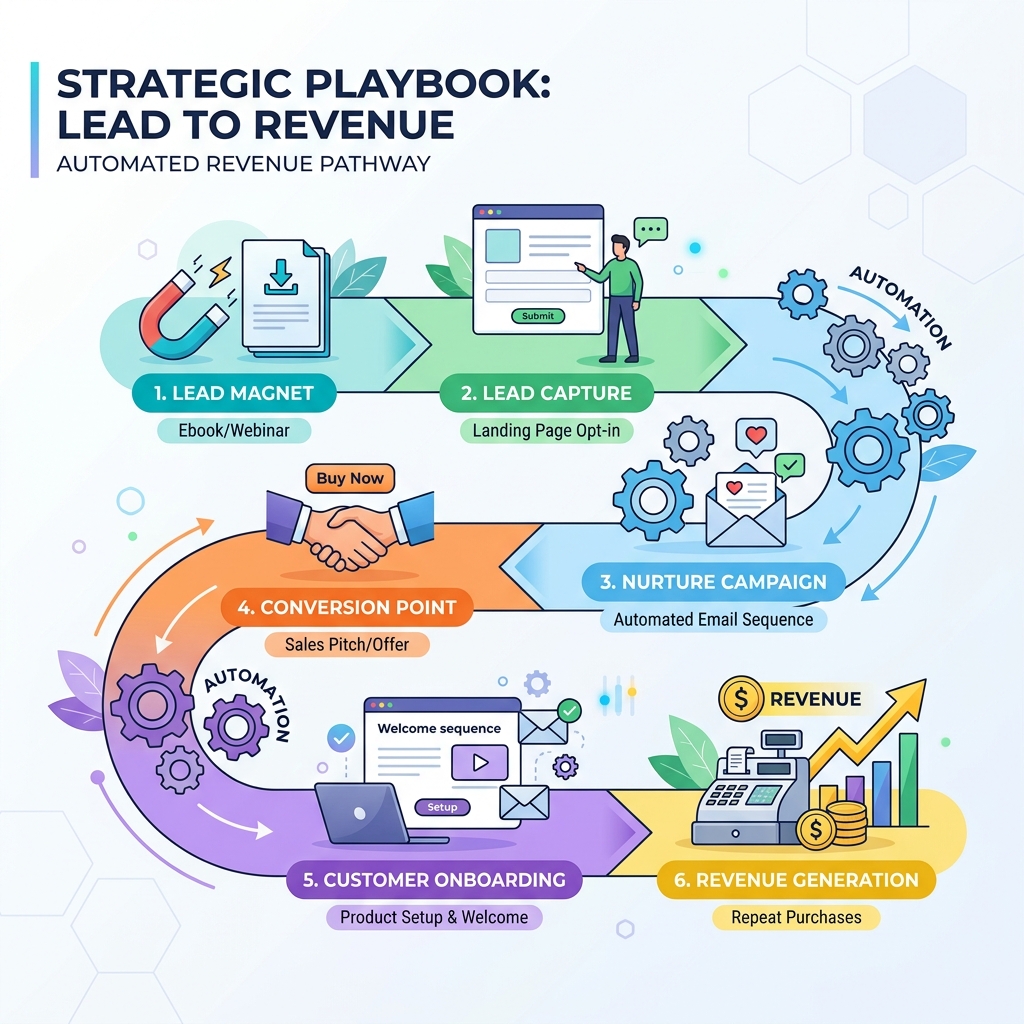
TL;DR — Growing service businesses and agencies often lose a significant portion of their inbound leads due to slow follow-up times and manual CRM entry. By automating your pipeline—connecting ad channels directly to WhatsApp, email, and CRMs—you can guarantee a response in under 5 minutes and significantly increase conversion rates. In this playbook, we break down the exact lead-to-revenue system we deploy for our clients to automate lead capture, qualifying, and nurturing.
Why does lead response time matter?
If you don’t contact a lead within 5 minutes of their submission, your chances of qualifying them drop by 80% according to industry studies.
For service companies and agencies, manual lead entry is a bottleneck. When an operator has to copy-paste lead details from Facebook Ads Manager or a website contact form into a spreadsheet, hours (or days) pass. During that window, the lead has already reached out to three competitors.
We solved this problem for our client Mobile Pay Systems. By replacing manual workflows with an automated lead qualification pipeline, they scaled sales across multiple brands and achieved a 682% ROI within the first quarter.
What is a Lead-to-Revenue System?
A Lead-to-Revenue system is an automated, end-to-end pipeline that connects your marketing channels directly to your sales operations.
Here is how a typical manual workflow compares to a fully automated pipeline:
| Phase | Manual Workflow (Friction-Heavy) | Automated Pipeline (Frictionless) |
|---|---|---|
| Capture | Leads sit in Facebook Ads Manager or email inbox | Instant webhook capture via n8n / Pabbly |
| CRM Entry | Manual copy-paste into Zoho or GoHighLevel | Auto-created contact, deal, and activity log |
| Notification | Weekly reports or manual email alerts to team | Real-time Slack or WhatsApp alert to sales rep |
| First Contact | Rep calls/emails within 24–48 hours | Instant WhatsApp template or email within 2 minutes |
| Nurturing | Rep follows up if they remember | 10-step automated nurture sequence triggered |
The 4-Step Automation Architecture
To build a reliable lead-to-revenue pipeline, we design our integrations around a 4-step architectural loop. Here is the technical breakdown:
1. Instant Capture (Webhooks over Polling)
Never rely on scheduled checks (e.g. checking for new leads every hour). Use instant webhooks. Whether a lead comes from Facebook Ads, Google Forms, or a custom landing page, the source must trigger a POST request to your integration middleware (like n8n).
2. CRM Synchronization
Once the webhook payload is received, the middleware immediately:
- Searches your CRM (e.g. GoHighLevel, Zoho) for an existing contact using the email or phone number.
- Updates the contact if found, or creates a new one if not.
- Creates a new Deal/Opportunity in the “New Lead” stage.
- Logs the UTM source parameters so you can track marketing ROI.
3. Immediate Sales Notifications
If you have a sales team, they need to know a lead arrived instantly. The middleware should push an internal alert to your team’s Slack, Microsoft Teams, or WhatsApp channel. Include the lead’s name, phone number, interest area, and a direct link to their CRM record.
4. Interactive WhatsApp & Email Nurturing
Simultaneously, the system triggers the first customer-facing message. We recommend utilizing the official WhatsApp Business API (via platforms like Atharva AI or similar BSPs) for Indian and global service markets, combined with automated email.
Here is the exact 10-step nurturing sequence we built for Mobile Pay Systems:
- Minute 2: Instant WhatsApp welcoming them and confirming their request details.
- Minute 15: Follow-up email introducing the team and sharing a case study.
- Day 1 (Morning): WhatsApp offering a booking link (e.g. Cal.com or Calendly).
- Day 2: Email highlighting a common pain point they face and how we solve it.
- Day 4: WhatsApp sharing a quick video walkthrough or screenshot.
- Day 7: Email with testimonial/review proof from a client.
- Day 10: Final check-in WhatsApp asking if they still need help.
- Day 14: Value-add email sharing a helpful resource or guide.
- Day 21: Re-engagement WhatsApp asking if they resolved their issue or still need assistance.
- Day 30: Final “break-up” email stating you won’t reach out again unless they request it (which often has the highest response rate).
How to Get Started with Automation
You do not need to build everything at once. Start with a single high-impact flow:
- Map your current flow: Write down exactly what happens today from the moment an ad is clicked to when the deal is marked closed.
- Select your tooling: We recommend n8n for orchestrating complex, multi-system workflows because of its visual builder and support for self-hosting.
- Set up the WhatsApp API: Complete your Meta Business Verification and hook up a platform like Atharva AI to act as your messaging gateway.
- Integrate and Test: Build the Facebook-to-CRM flow first. Verify that test leads populate correctly before activating automated customer-facing messages.
- Measure and Iterate: Track response rates and conversions. Tweak your messaging and timing based on what yields the highest engagement.
FAQ
Does automation make our outreach feel robotic?
Only if you write robotic copy. The automation is simply the delivery mechanism. If you write your templates exactly how you would type a manual message to a friend or client—keeping it casual, direct, and asking a simple question—the recipient will respond.
Do we need a large budget to set this up?
No. Tools like n8n can be self-hosted on a VPS for under ₹500/month, and the WhatsApp Business API has free tiers for the first 1,000 service conversations per month. The cost of losing a single hot lead far outweighs the software fees.
What happens if a lead replies on WhatsApp?
A good integration will push the reply back into your CRM’s shared inbox or alert the sales representative. For advanced setups, you can deploy an autonomous agent (like Zira or customized Atharva flows) to read the response, classify the intent, and handle simple questions automatically.